Geo Genius 2.1: Ready for iPhone Duo
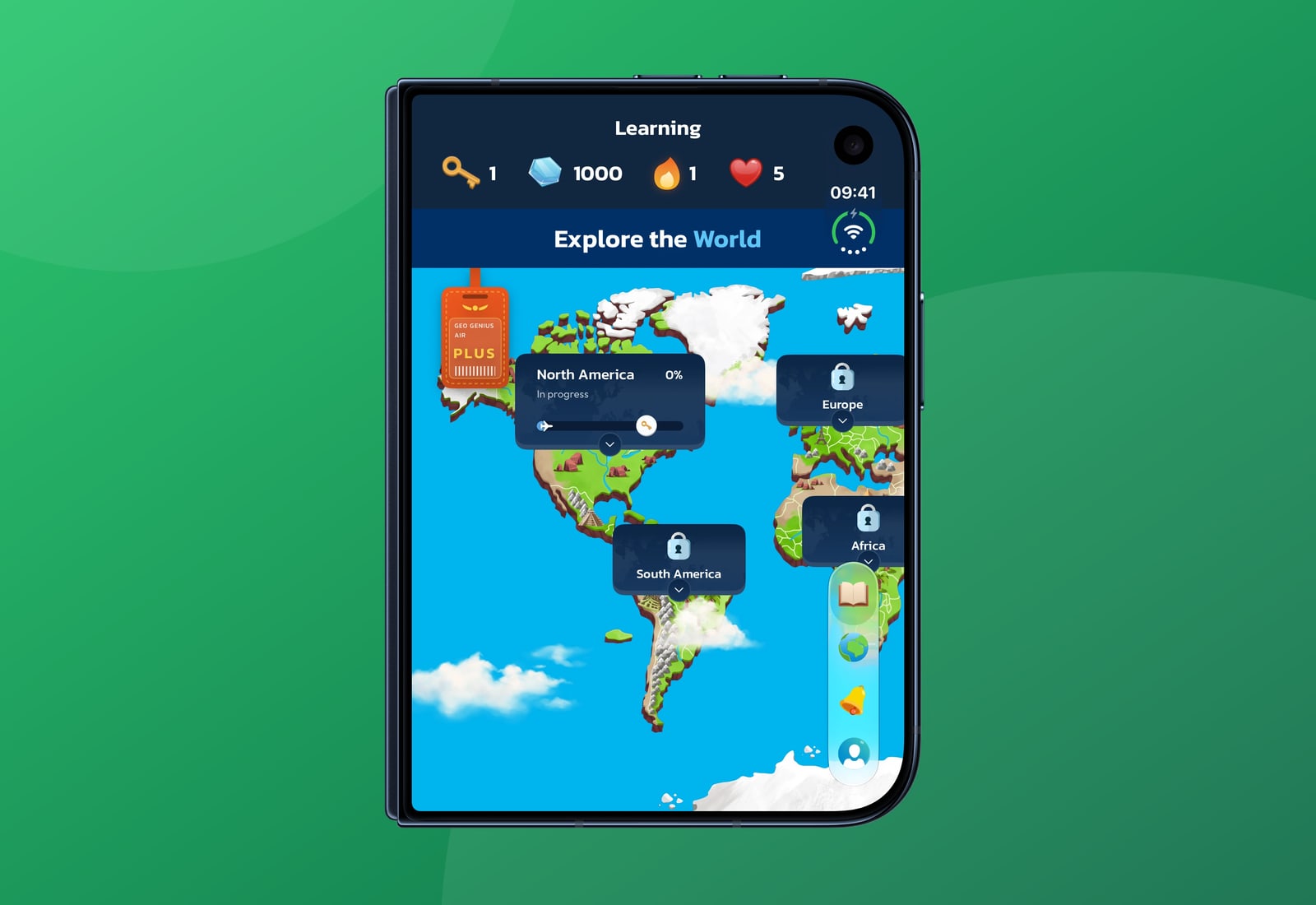
Geo Genius 2.1 is ready for iPhone Duo. Open it and turn it sideways: the main map sits right in the middle, across the fold. I worked through the app with that extra room in mind. The map can stay in view while you choose a lesson, and the World Quiz start screen has room for the whole plane.
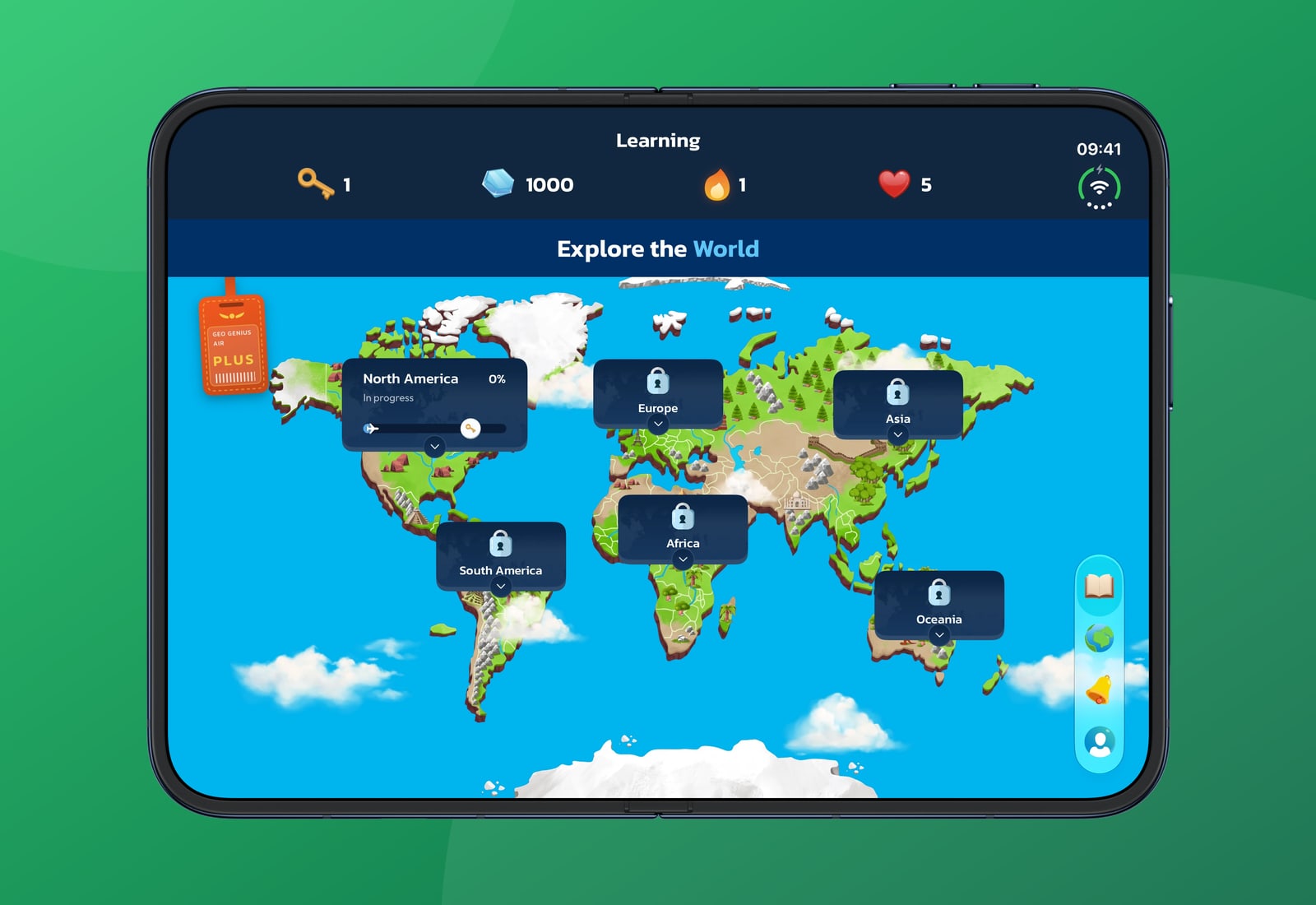
See the map as you choose a lesson
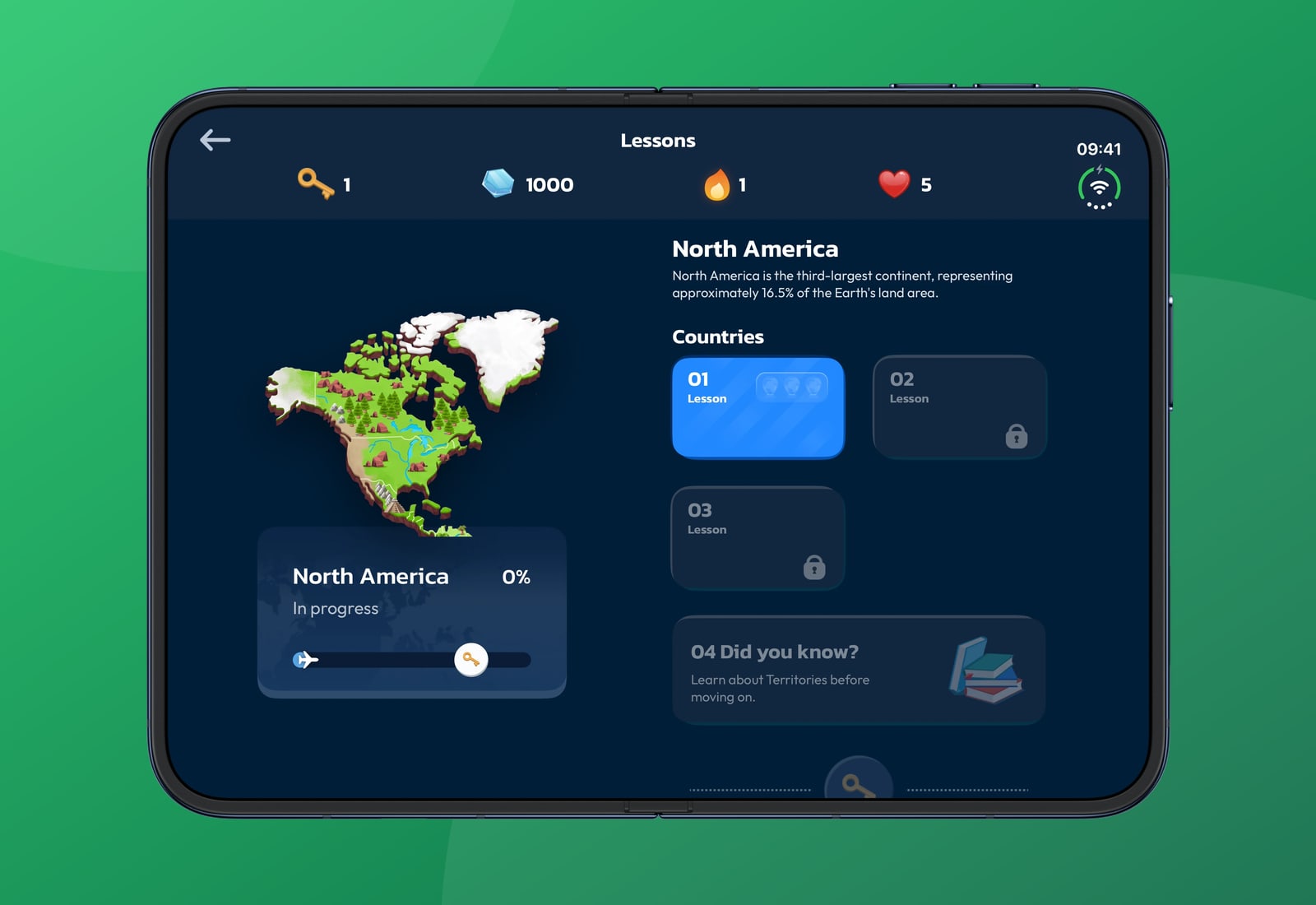
Open the North America lessons and you’ll see the map and your progress on the left. Pick a lesson on the right without losing sight of how far you’ve come.
It works the same way when you start a question. The country’s map stays on one side while you answer on the other. When you check your answer, the result doesn’t cover the map.
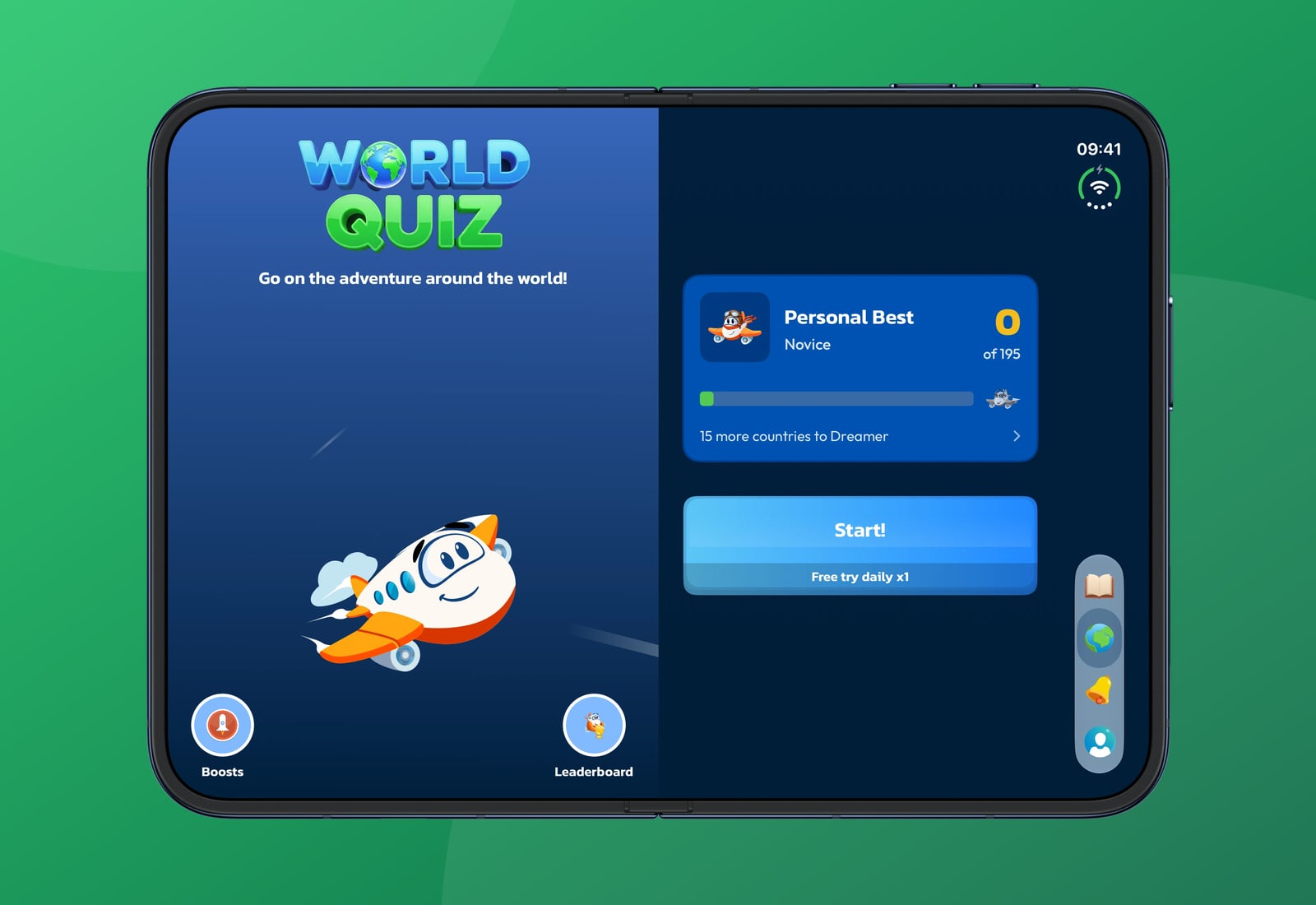
Get ready for World Quiz on the big screen
Before takeoff, you can see the whole plane on one side of the screen. The card on the other side shows your rank. If there’s another rank to reach, it tells you how far your best flight is from it.
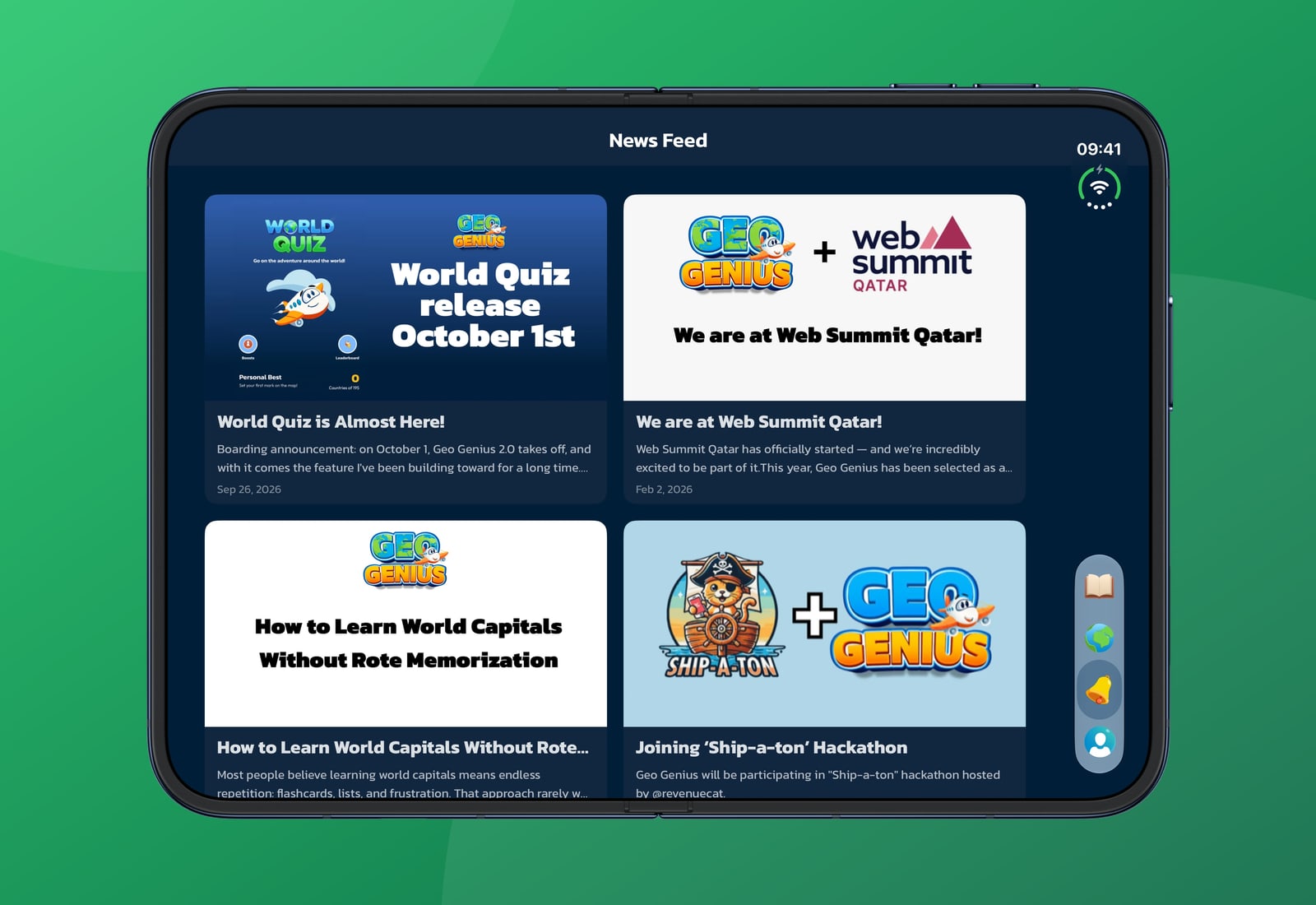
Read the news on the big screen
The News tab uses the extra width a little differently. The cards keep their usual width and sit side by side instead of stretching across the screen.
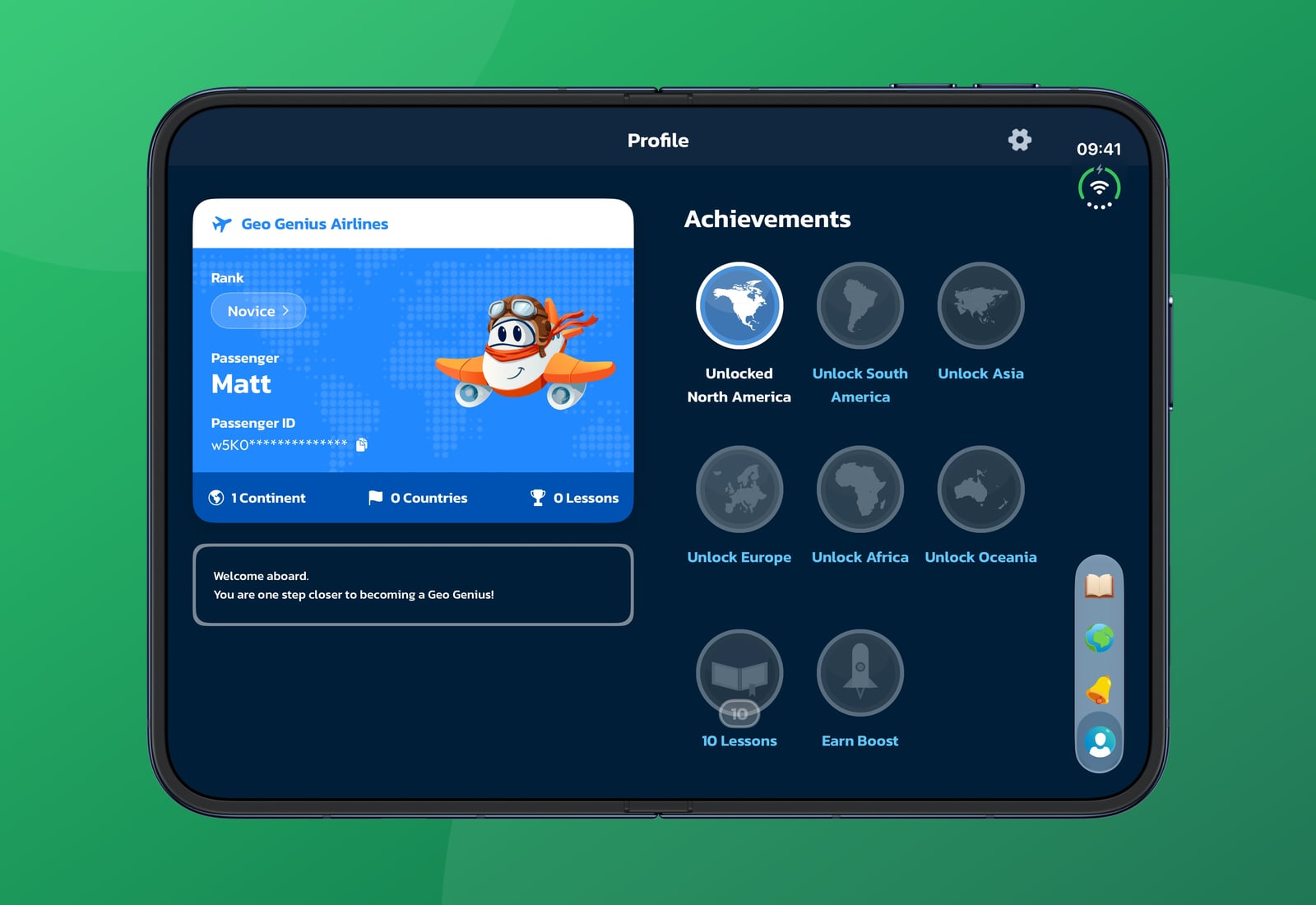
Check your profile
You don’t have to be playing to use that extra room. Open your profile and your achievements sit beside your boarding pass. There’s room for all of them, not just the preview.
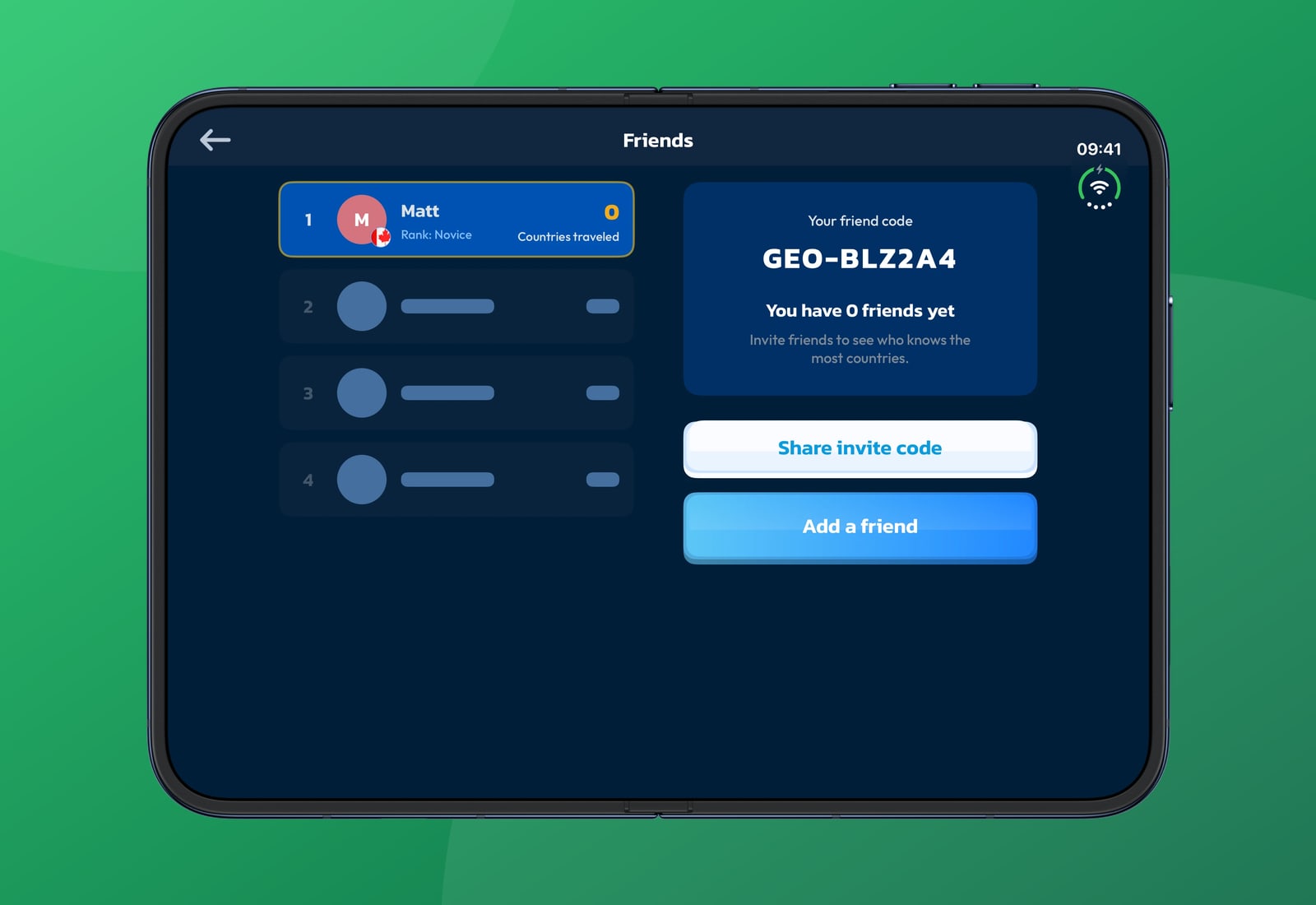
Share your friend code
In Friends, the rankings stay on the left. You can share your code or add a friend on the right.
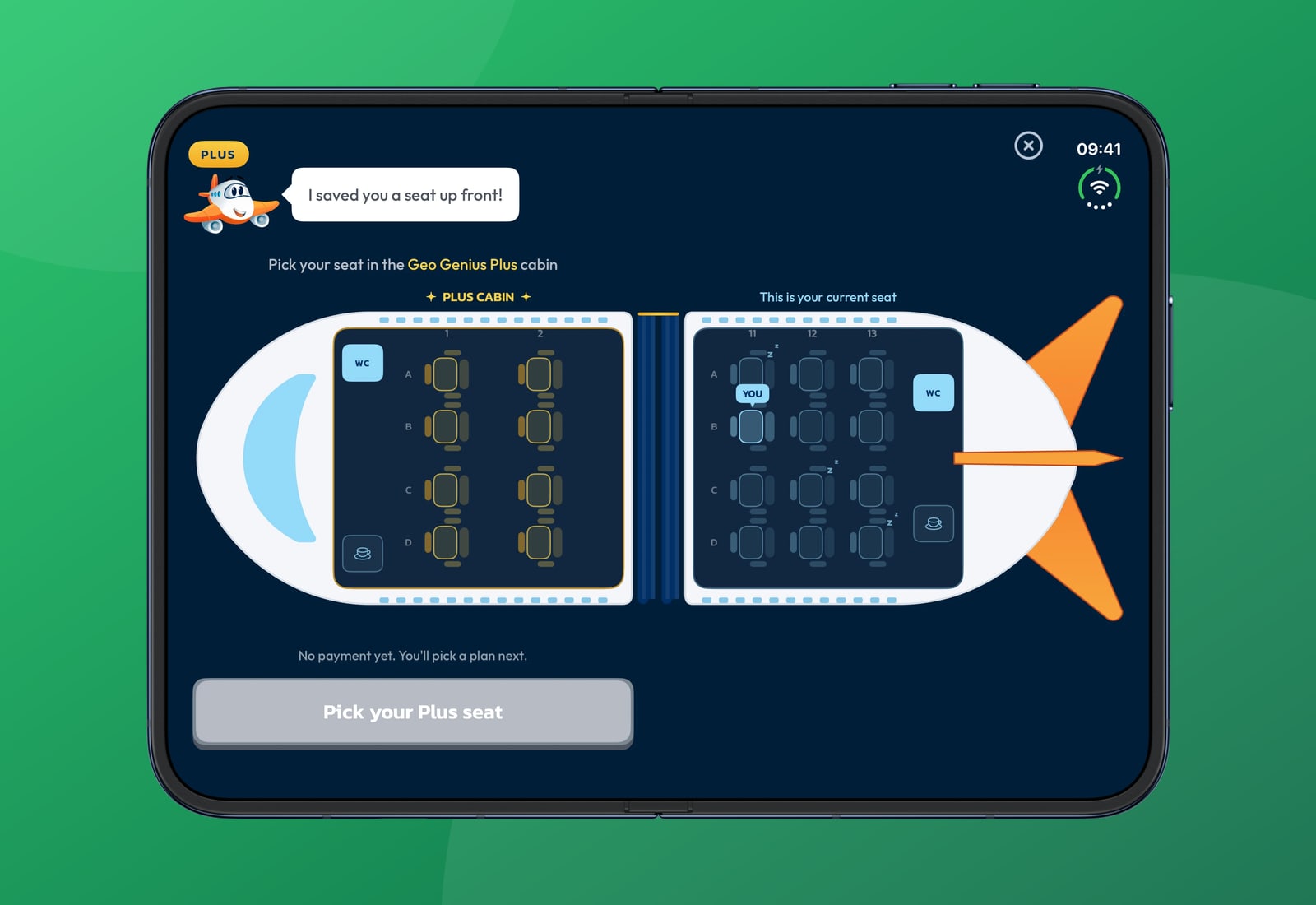
Pick your seat
You’ll see the same split when you pick a seat. Your current seat and the Plus cabin sit on opposite sides. You don’t need Plus to play Lessons or take your free Daily Flight. Plus gives you unlimited Hearts for Lessons and lets you fly again without waiting.
A better fit on smaller screens
Close iPhone Duo and you have less room to work with. On the closed Duo and smaller iPhones like the SE, World Quiz uses a more compact destination picker. The countdown sits in the departures board on the shorter layout, and you can scroll to the last card without the button covering it.
Hints stay above the button you use to check your answer. The Plus comparison can scroll when it doesn’t fit.
On the closed Duo, the map goes right up to the edge beside the status bar.
Also new on every iPhone
Check what you need for the Final Quiz
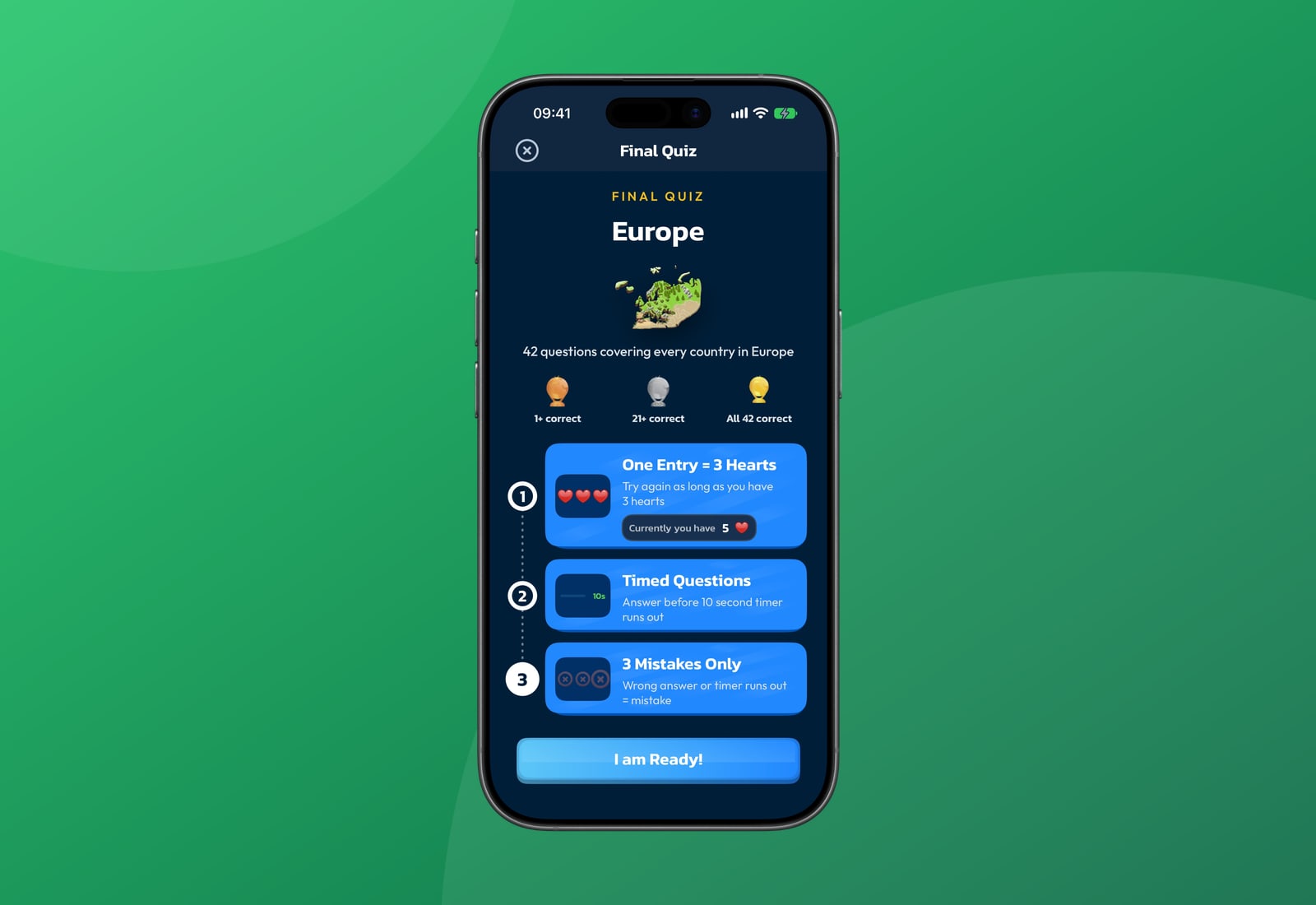
Even if you don’t have a Duo, you can check the Final Quiz rules before you start. When there’s room, the briefing also shows trophy targets. If you don’t have Plus, you can check your Hearts before you start.
- Entry costs three Hearts unless you have Plus.
- Each question gives you 10 seconds.
- The attempt ends on the third mistake. A timeout counts as one.
Europe’s Final Quiz has 42 questions. For silver, aim for at least 21 correct. Gold takes all 42.
See which continent you just unlocked
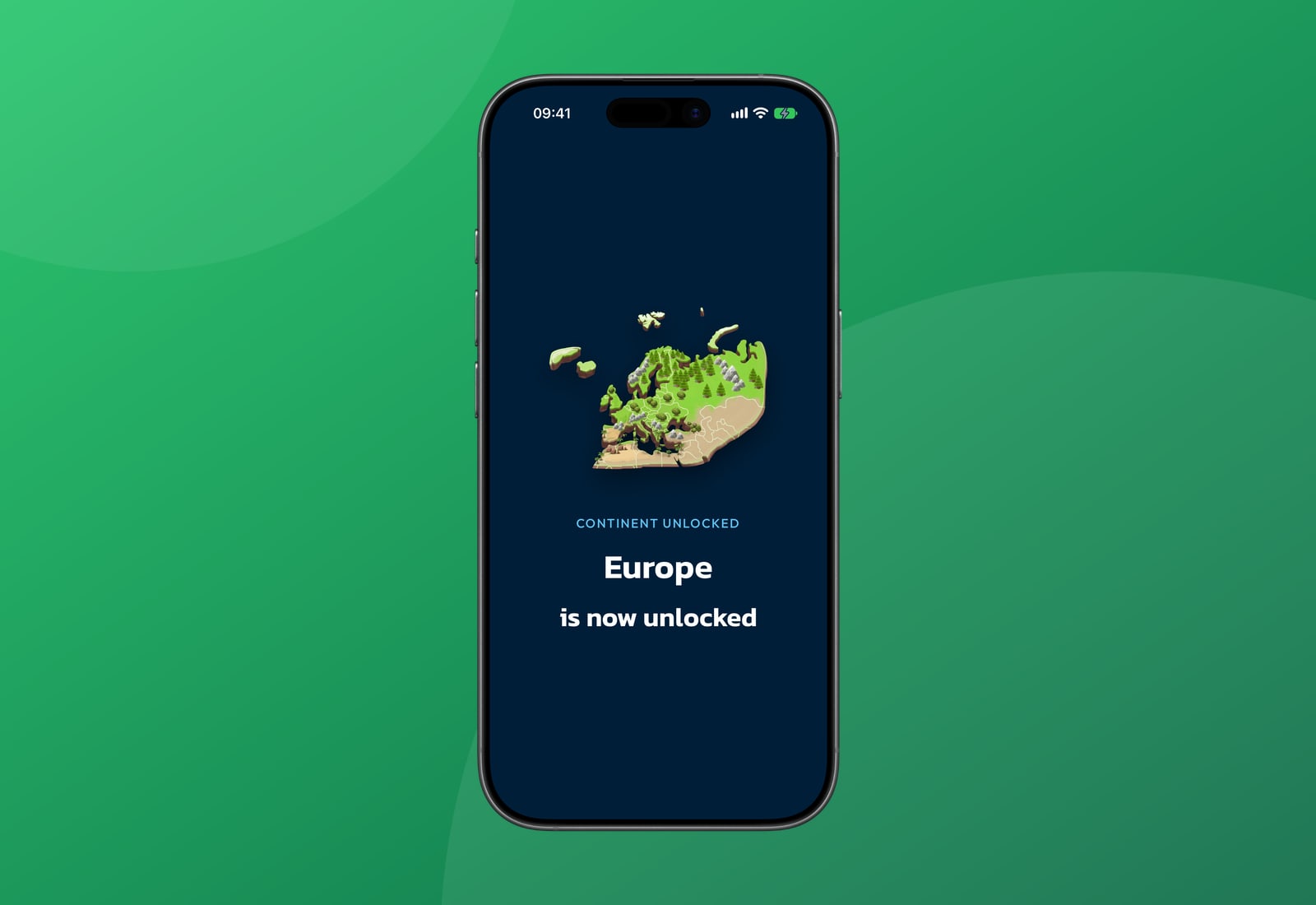
Open a continent with a key and you’ll see the lock disappear. The continent changes from grey to colour.
Pick your next destination
When you pick a World Quiz destination, the coloured strip shows its difficulty. You can also see how many gems you can earn.
Thanks for playing. If you have a Duo, try a lesson with it open.